
I had a request from a friend to make a remix of Honeywork’s Kawaikute Gomen.
Started working on the main part. I usually start with the main mel or chorus so to say and build from there.
Nanisuru Webapp updates ウェブアプリ更新
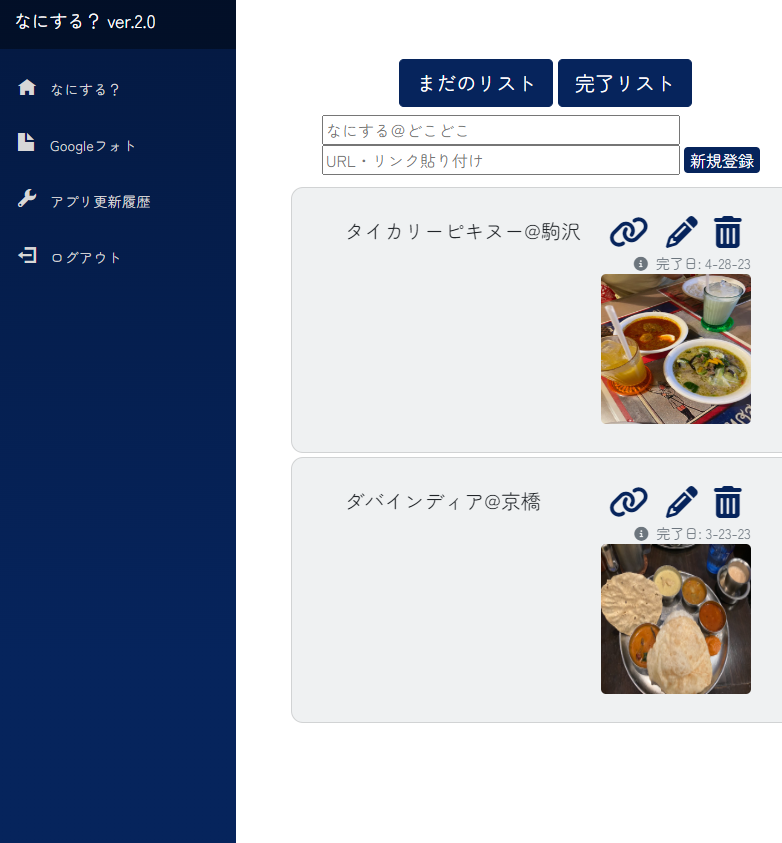
Updated my on-going Blazor Webassembly & Asp.net API to version 2.0 today.
Minor updates that shouldn’t be worthy for a whole step up to 2.0, but 2.1 will have the push notification which is a pretty big deal to me and the app.
– Added auto resizing with image uploading for completed items on the ToDo list.
– Added URL option to reference whatever the action item is.
なにするウェブアプリの更新。一気に2.0にアプデしたけれど、今回のアプデは大した内容ではないけれど、2.1では初めてのプッシュ通知を導入する予定。
今回の更新は:
-画像添付機能を追加 (自動リサイズ後、アップロード)
-URLの貼り付けオプション追加
-編集・完了リストからの画像拡大 (Blazored Modal)
-なにするリストの表示順を上から最新へ変更
-スマホで”まだのリスト”と”完了リスト”のボタンを押すと、文字が黒くなる事象を修正
Focusrite Scarlett 4i4 g3 for loopback
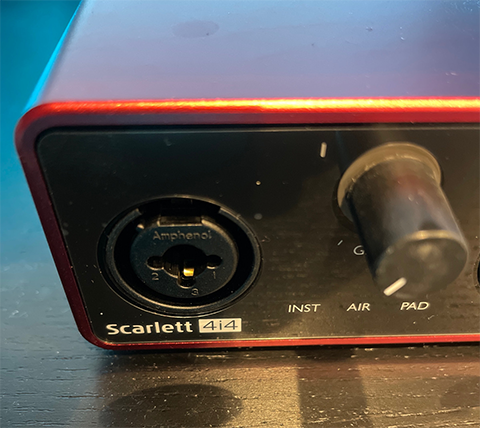
I previously owned a Scarlett 2i2 2nd gen, but I was unsatisfied about the device not having loopback ready options. Instead, I’d have to install some 3rd party virtual rerouting to loopback. This was a pain especially when you want to record Ableton Live, with OBS.
SO, now that I hooked up the new 4i4, recording Ableton Live is an easy task.
ここ数年Focusrite Scarlett 2i2第2世代を使っていたけれど、OBSでAbleton Liveを録画するとき、Loopbackで録音が出来ないため色々ツールをインストールしてやりくりしないといけなかった。Loopbackは4i4第3世代からは標準装備となっていることを知り、さっそくアップグレード。出力・入力の数やLoopbackぐらいの違いしかスペック的にはないけれど、2i2はメルカリで売るとしてアップグレードの価値はあったかな。
Blazor wasm: IBrowser resize file after selection
Today’s progress on my webapp.
Working on adding a feature to attach one image to each complete ToDo item.
This way, you could look back and get a glimpse of your memory be it eating or doing some sort of activity.
I’m setting an upload limit of 16mb because my file storage approach is directly storing into Binary with Mongodb. MongoDB only supports a max of 16megs per Binary. You could upload bigger files if you use MongoDB’s GridFS. Besides, I don’t think a photo taken with your smartphone will exceed 16megs anytime soon.
    public async Task HandleFileSelected(InputFileChangeEventArgs e)
    {
        isDisabled = true;
        selectedFile = e.File;

        // Resize the selected image
        resizedFile = await  selectedFile.RequestImageFileAsync(selectedFile.ContentType, 960, 540);

        // Save updated image to byte
        buffer = new byte[resizedFile.Size];

        // Update resizedFile's stream with buffer
        await resizedFile.OpenReadStream().ReadAsync(buffer);

        // Force UI update
        await InvokeAsync(StateHasChanged);
    }


    async void SaveItem()
    {
        if (selectedFile != null)
        {
            if (selectedFile.Size < maxFileSize)
            {

                var ms = new MemoryStream();
                todoItem.FileName = selectedFile.Name;
                await resizedFile.OpenReadStream(maxAllowedSize: 1024 * 1024 * 16).CopyToAsync(ms);
                todoItem.BinFile = ms.ToArray();
            }
            else
            {
                // Alert if file exceeds the limit
                await Swal.FireAsync("ファイルが大きすぎます(最大16mb)", "");
                return;
            }
}Work in progress: Vocal Trance Track
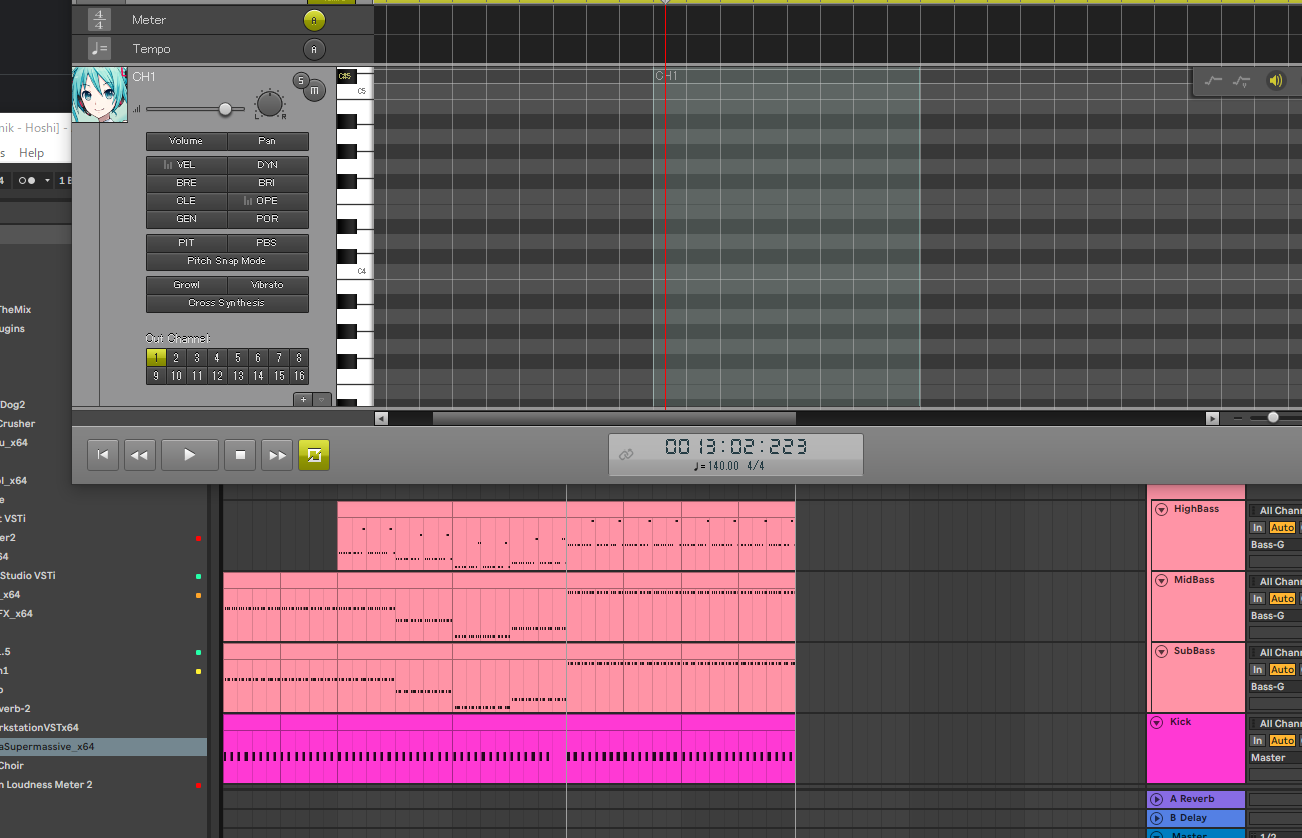
I started working on an original Vocal Trance Track. This was one of my goals for 2023. I’ve produced remixes of existing vocal tracks, but no originals.
In order to draft the vocals, I decided to use Miku (Vocaloid4) which I purchased last year. First time using the vsti, time to get my hands dirty.
4ヶ月ぶり?の曲作りをプログラミングの合間の息抜きで始めた。(息抜きに正直なってないような気もするけど)今までボーカルを使った曲はリミックスだったので、今回は初めて完全オリジナルを作る予定。ボーカリストを雇う前にどんな感じになるのか伝えやすくもするために、初音ミクを初めて使うことに。ボーカロイドの曲も作りたいと思って、去年買っておいたやつを起動。さぁ、どうなることやら。楽しみが半分、そして毎回ミキシングとマスタリングのストレスがな。
File uploading challenge with Blazor
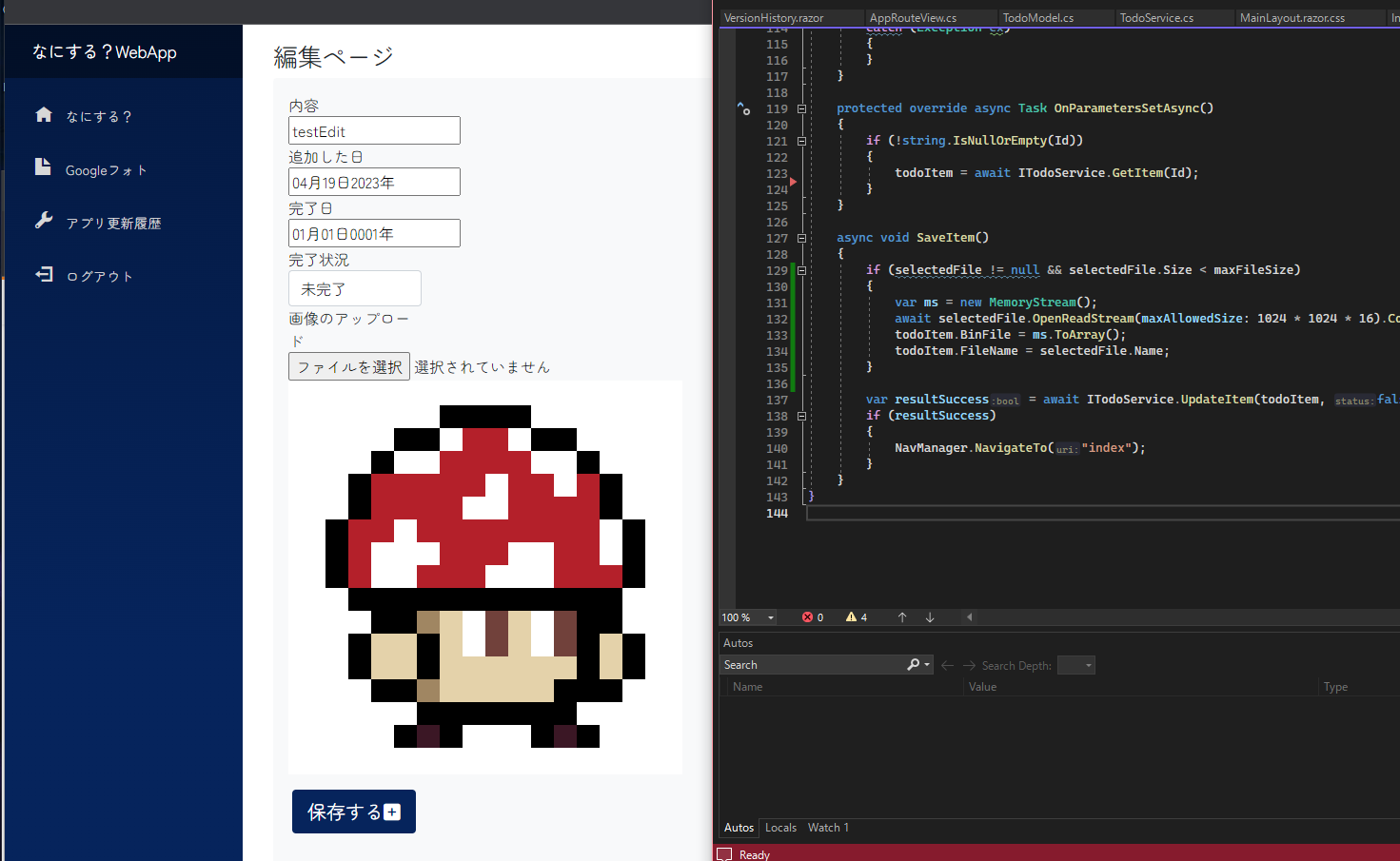
After using or should I say testing my webapp on the daily, you realize what would be nice to have for a better user experience.
My NanisuruApp is a ToDo list, but strictly for family use.
Future plan is to consolidate everything and anything I need into this WebApp.
I got file uploading as binary directly into the database working.
Now to work on thumbnails, and figuring out what to do with HEIC formats
The backend API is set to public on my Github, but this app is still on private. I plan on sharing it for public after I add a few more tweaks and clean up the code a bit.
なにするアプリに機能を追加して行こう。ということで、身内専用のToDoアプリで完了済みのタスクに思い出用の画像を添付できるようにしたいということで、今日はMongoDBへBinaryとしてデータベースへ直接ファイルをアップロードするという荒い手を使って導入。サーバーへファイルをおいて、ファイルの場所をstringで保存するのが王道らしいけれど、超規模だし一応ScalabilityもMongoFSを使えば大きいファイルも何なりと扱えるらしい。
今日はファイルのアップと表示までかな。
HEICフォーマットはどうする?サムネール化が必要など課題は残る。
バックエンドAPIは一応Githubに公開はしているけれど、まだ追加や修正が必要。フロントエンドのアプリの方の公開はコードのクリーニングと追加したい機能がほぼ終わった段階にしようと思う。
Blazor webassembly’s PWA
I was going to start working on migrating my Blazor Webassembly App to .NET MAUI in order to use it more conveniently on my IOS device, but I totally forgot about the PWA feature. Following the official and well documented microsoft’s guide allowed me to easily enable PWA on my app.
It’s working like magic!
ASP.NET Core Blazor Progressive Web Application (PWA)
今開発中、というより随時機能追加や微調整中のアプリを今後iPhoneで使うために.NET MAUIへのコード移行を考えていたけれど、Blazor WebassemblyはPWAという素晴らしい機能が使えるのを完全に忘れていた。
今日はマイクロソフトのオフィシャルサイトのドキュメントを見てちょいちょいコードをいじって無事携帯からアプリ画面経由でアプリを開くことに成功。
素晴らしい。Apple Developerの登録や、アプリの審査とか不要なので便利!
Working on my first Lofi track.
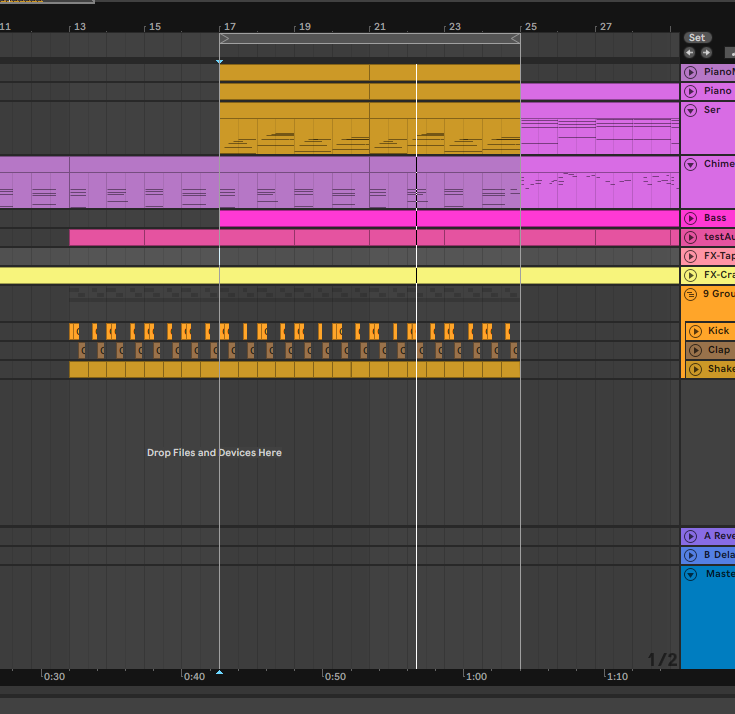
I had a sudden urge to create my very first Lofi track.
Lofi is my go-to music when it comes to concentrating on studies, or creative projects.
Going through numerous chords to see which one I want to stick with.
Mixing should be way easier compared to Trance, simply because of the difference in the number of tracks and sounds used.
勉強する時は大体youtubeで適当なLofiを探して流しながらやる。色んなジャンルで勉強を試みたけれど、結局低音メインのビートに落ち着いた。クラシカルよりも長時間集中できた。(個人的には)
で、初めてのLofiトラックを作ってみることに。いつものトランスと違って使っている音の数がはるかに少ないからミキシングとマスタリング作業が楽なはず。
Moved my main blog URL for a new btro.jp
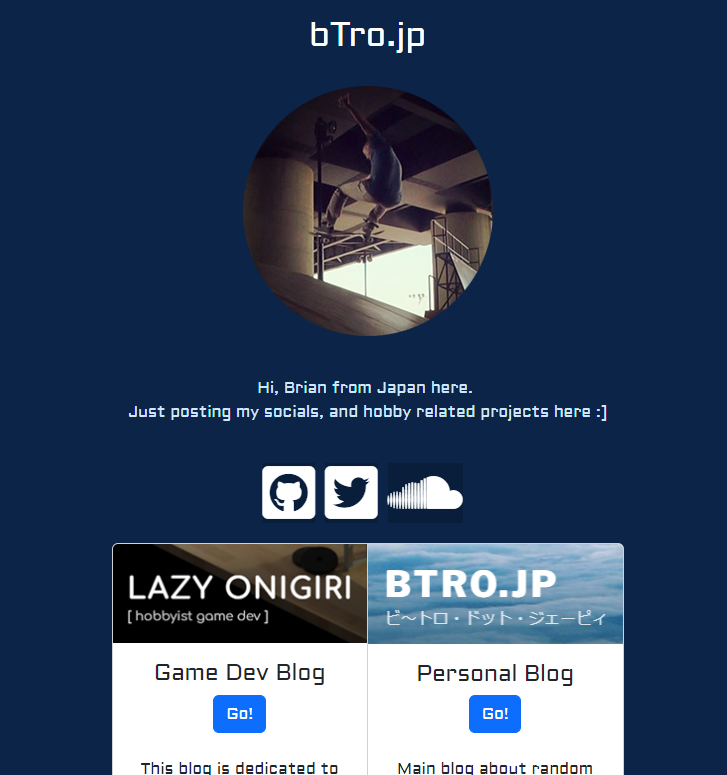
I had my blog hosted on the root of btro.jp, but I decided to move it to /blog.
Made a super simple page at btro.jp which has all my “public” links on the internet.
btro.jpのトップページに趣味周りのリンクをまとめたかったので、ブログを/blogへ引っ越しして、新しいトップページを追加。デザインはやっつけ感あるけど、ミニマリスティックってことで。
Plans and fixes for Nanisuru Webapp.

I finished an unsatisfactory state of my webapp Nanisuru (ToDo), and already have some improvements and fixes I need to start working on.
Also excited for some new features which I have never implemented. Should be a challenge, but good material to set new grounds.
Did some planning and brainstorming on how to approach my trello list today.